


Computer literacy (and strong computer skills) improves the quality of life and extends great employment opportunities to an individual.
Digitally literate individuals (people who know computer basics) have higher chances of securing job positions. In fact, these skills are highly sought-after by organizations. These help an individual thrive in various personal and professional settings.
Let’s understand more about computer knowledge and the basic skills that our youngsters must master in this digital age.
Read on.
10 Basic Computer Skills to Master in 2026
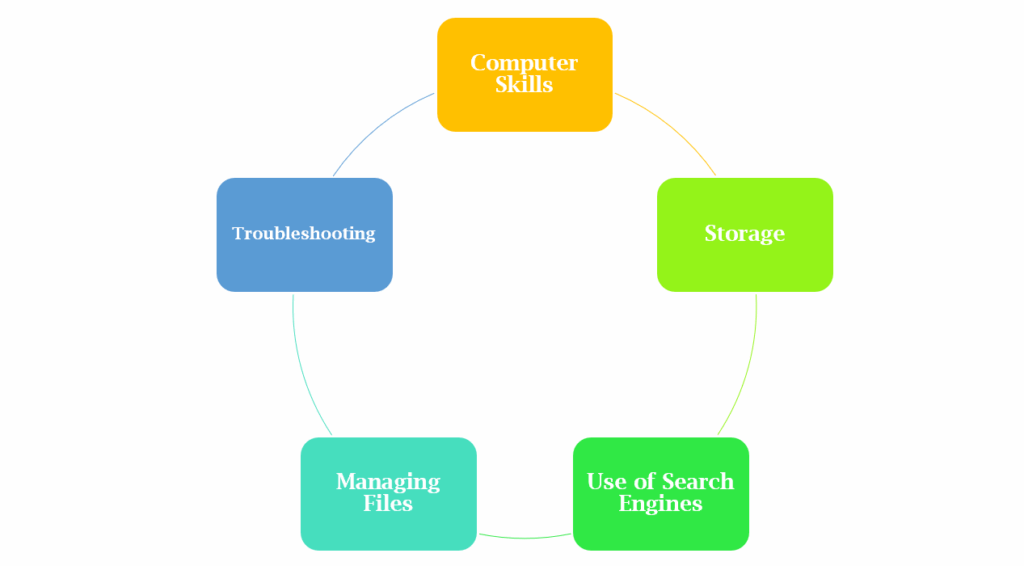
1. Managing Files
It is a basic skill of computer to keep files organized and find them without too much effort. Learn to rename folders in a way that indicates personal, professional, year-wise, month-wise, and other files clearly. A cluttered computer complicates things for users at crucial times. So, learn to use names that are easy to understand. And try to be specific and brief with your renaming to save yourself from unnecessary workload (like finding missing files from unorganized folders).
As one of the basic computer skills for beginners, you must know about the common file extensions and identify the suffixes, such as:
- .pdf for Adobe Acrobat
- .mp3 for Audio
- .docx/.doc for MS Word
- .xls/.xlsx for MS Excel
- .pptx/.ppt for MS PowerPoint
- .zip for Compressed files
2. Troubleshooting Skills
First-level troubleshooting is also an essential part of basic computer knowledge. It helps the user identify common issues that occur every now and then. And allows users to resolve problems before they cause any further damage.
This knowledge also saves users from several uncomfortable situations. In fact, the knowledge of troubleshooting also reduces one’s reliance on technical support for every minor problem.
Considering the importance of computer literacy in today’s world, troubleshooting is a vital skill that one must develop.
You can use social media, streaming platforms, and troubleshooting guides to develop this skill. And practice it like other basic pc skills (during issues).
3. Safe Internet Browsing and Use of Search Engines
Another important computer skill is to use internet browsers such as Google Chrome, Microsoft Edge, Safari, Opera, Firefox, etc. It is important to possess the right computer knowledge to use these browsers safely. And one needs sound knowledge to understand browser settings.
Some quick tips to help you with secure browsing:
- Strong passwords are a must to browse safely.
- Choose a browser that has good safety features.
- Incognito modes/private browsing help in keeping your browsing activity safe.
- Downloading can be problematic if it is from an untrusted source.
- Use a VPN to enhance your online privacy while browsing.
4. Backups and Storage
Securing data with cloud storage and making use of drives (like Google Drive) is also one of the basic computer skills that you must master. These smart solutions help in keeping your files safe during malfunctions and crashes, and protect your data while formatting the computer.
5. Online Collaboration
Working or collaborating on a common file is one of the computer basics in modern workplaces. You must learn how to share, edit, save, generate links, and add/remove permissions from a shared file. This basic computer knowledge (related to collaborative work) will make you a productive employee during adulthood.
6. Using Devices and Functionalities Independently
Being computer literate also means possessing basic pc skills of using attached devices like printers, scanners, projectors, external devices, webcams, storage devices, Bluetooth devices, etc.
In addition, you must also possess knowledge of setting and updating devices, drivers, software, etc., as all this contributes to your basic computer skills.
7. Security
With critical cybersecurity threats hovering around us, understanding privacy and security concerns is now a part of computer basics.
Gaining knowledge of these threats is the only way to protect your data and information from misuse. Keeping privacy settings, using strong (unpredictable) passwords, and staying abreast of the latest trends safeguards your online activity.
8. Researching
In this age of information overload, researching is also one of the basic computer skills to master. It helps in identifying credible information across different sources. And allows the user to analyze relevant facts to decode the truth by filtering out fake information.
Research also helps an individual with the right knowledge that builds superior thinking abilities. So, start mastering this basic skill of computer now.
9. The Use of Social Media
The use of social media is one of the basic computer skills for beginners that opens new opportunities to connect with people. This skill is imperative to create a social media presence. And makes way for promising career pathways in fields like advertising, digital marketing, etc.
Despite the numerous advantages of social media, many youngsters struggle with the right use of social media. But once they acquire this skill, they learn to make more responsible use of social media platforms.
<78% of students equipped with media literacy and mental health awareness make use of social media responsibly.>

10. E-Mail Etiquette
Understanding e-mail etiquette is the last on this list of basic pc skills. Writing e-mails, using rule-based sorting/folders, prioritizing emails with flags, and reminders are also crucial skills for workplace and life success.
Before we wrap up, here’s a look at some related statistics.
A Bit About Skills Gap
In India, the skills gap is a REAL ISSUE with both employers and students.
Here’s what statistics show:
- 97% of employers acknowledge the importance of tech skills in related fields. However, only 44% of the graduates receive adequate training in AI, IT, and data analytics, etc.
- 87% of employers consider critical thinking important for workplace success. However, 1 in 5 students struggles with problem-solving and critical thinking skills.
- 94% of our graduates regret making a wrong choice of degree. And 64% of them wish they had made another choice to meet their career aspirations.
At the heart of this employability problem is the dismal computer literacy rate in India. Only 24.7% of our population (above the age of 15 years) is computer literate.

Despite these challenges, there’s still hope!
So, let’s get ready to equip our younger generations with these crucial skills for success.
After all, the world is advancing at an incredible pace, and our younger generations need to keep up with it!
Do visit this page to unlock your child’s true potential through our world-class online school programs with ‘Computer Education’ as a core subject at the primary and middle school levels.
Connect with our team to learn more about this affordable yet high-quality schooling option now!
Thanks for Reading!
Frequently Asked Questions
- How to master computer skills?
Some of the basic computer skills for beginners include:- Use of devices
- E-mail etiquette
- Managing files
- Using MS Office
- Online collaboration
- Troubleshooting
- What is the best skill to master?
Communication, critical thinking, basic skill of computer, and problem-solving are important for everyone in this digital age. - What are the 5 basic computer skills?
Managing files, cybersecurity, using social media, online collaboration, and the use of internet browsers are important for basic computer knowledge.
Suggested Read
- Blended Learning- A Technology-Backed Solution to Deliver Student-Focused Instructions
- How to Increase Memory Power: 10 Practical Tips for Students
- Personal Grooming for Students: Benefits, Ways to Teach, Tips and More
- How to Become Topper: 10 Easy Yet Practical Strategies
- Practical Strategies and Effective Steps to Overcome Laziness
- 10 Captivating Games for English Learners
- Profound Benefits of Drawing in Education and Tips to Develop this Skill in Students
- Gaming In Education: A Useful Tool In The 21st Century?
- 10 Life Skills for Students: Building Leaders of Tomorrow
- Educational Robotics: A Stride Forward In Online Education
- Exam Motivation: Ace Your Exams And Achieve Your Academic Goals!
- Time Management Tips For Students
